Learn the steps to quickly locate and run report for your specific AHIMA invoice to download invoice receipt as a PDF file. This guide simplifies the navigation process.
1. Open the invoice in dynamics
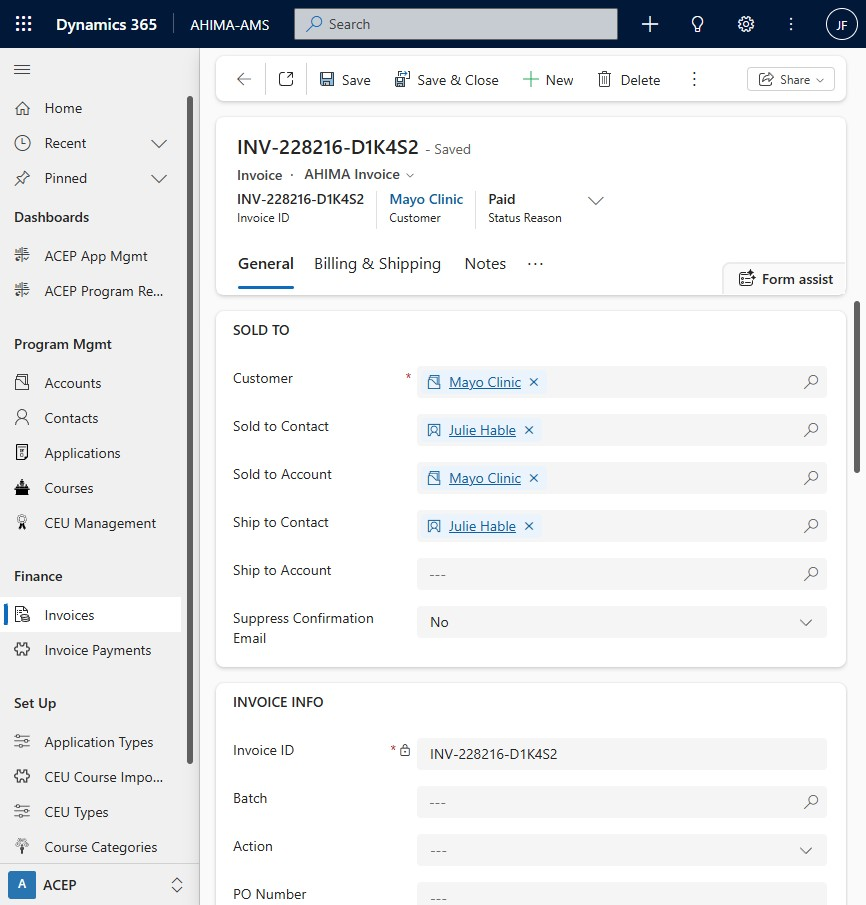
2. Click the ellipsis for more invoice commands.
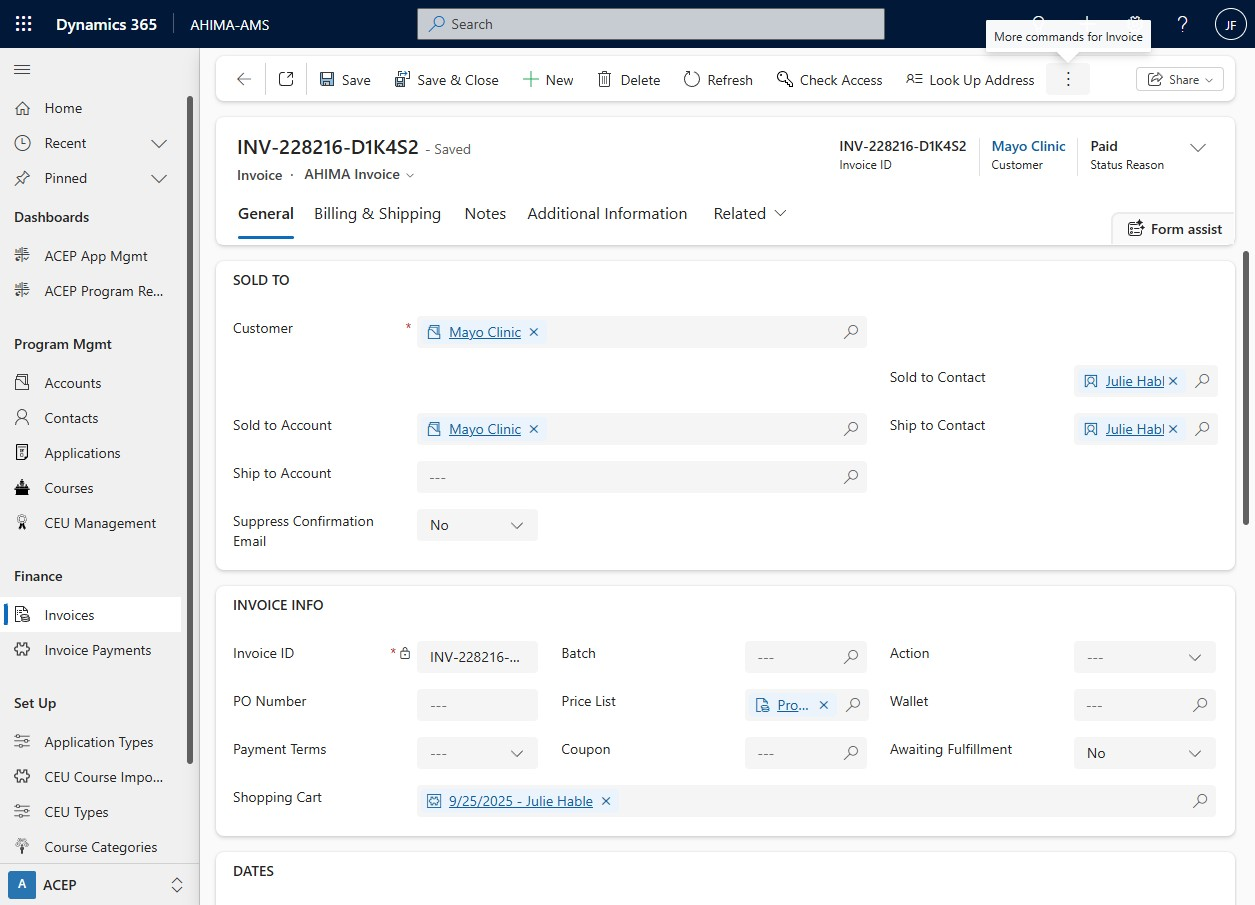
3. Click run report arrow.
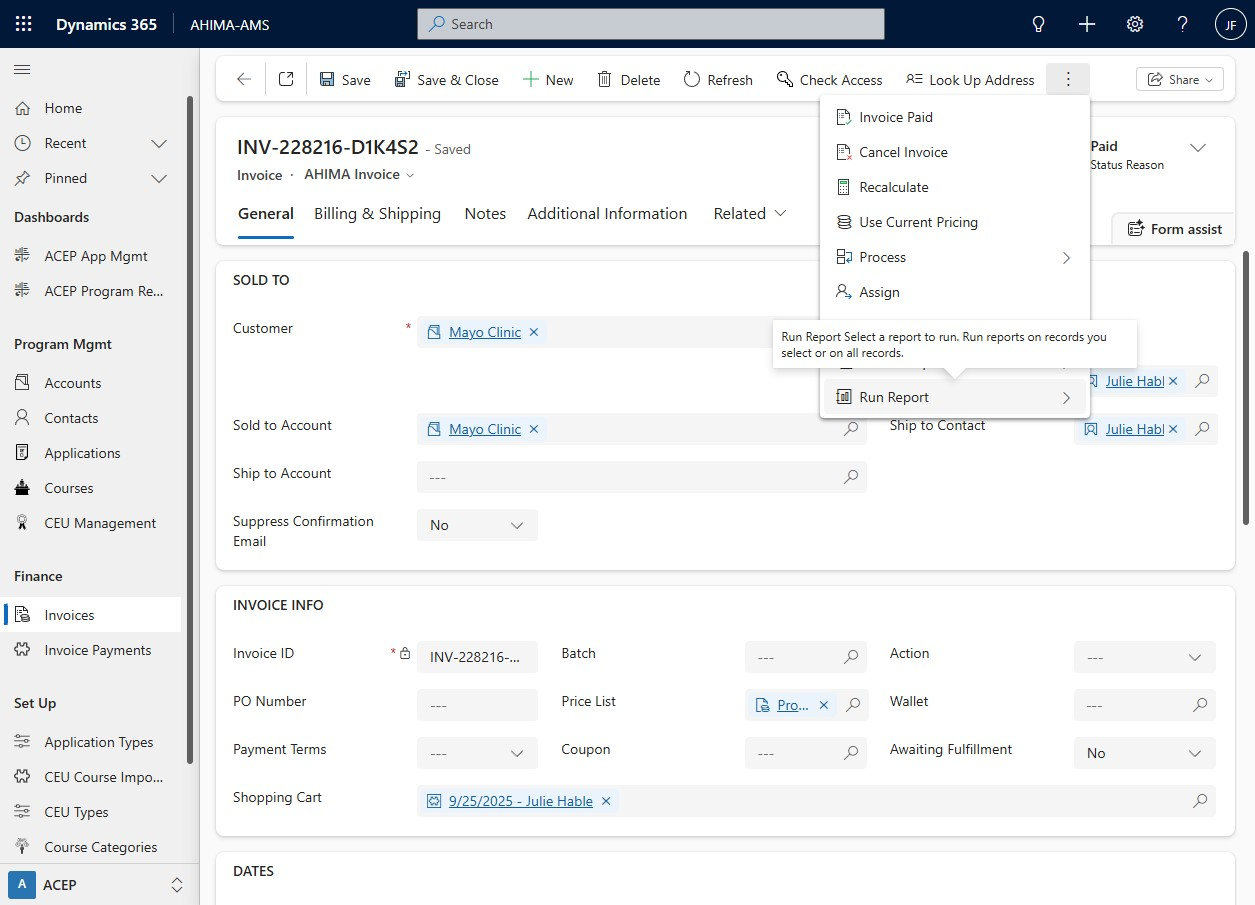
4. Click "AHIMA Invoice"
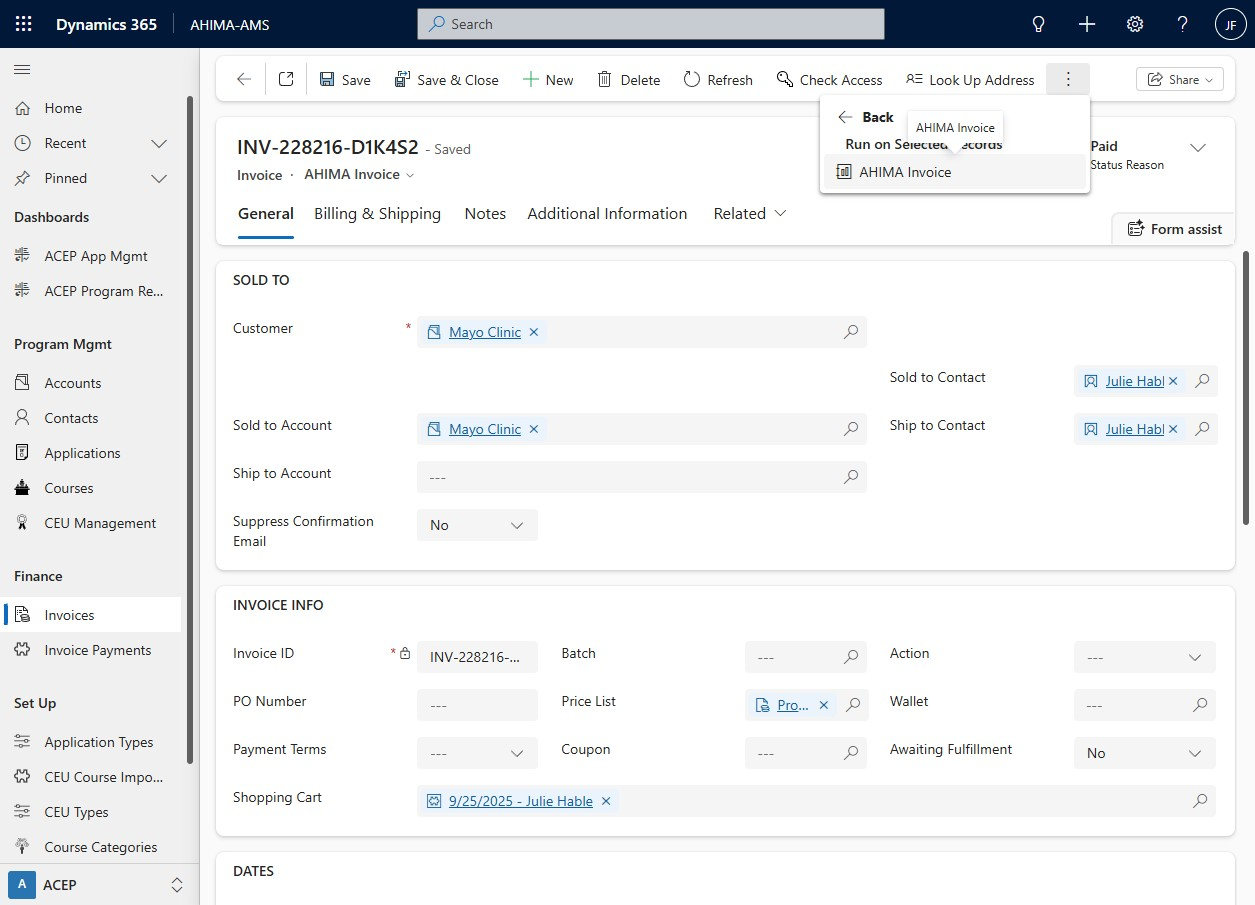
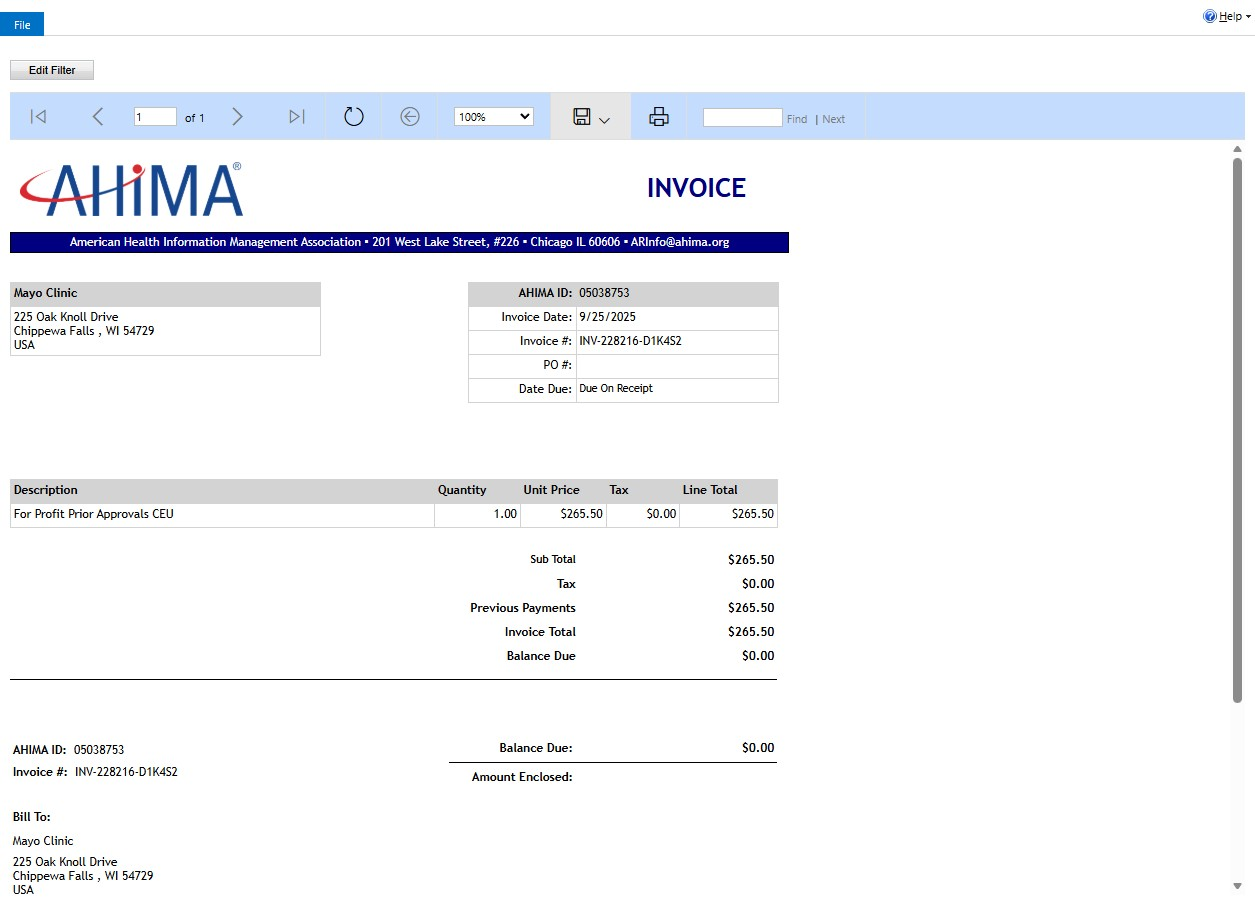
5. Click the Save icon.
6. Select "Acrobat (PDF) file"
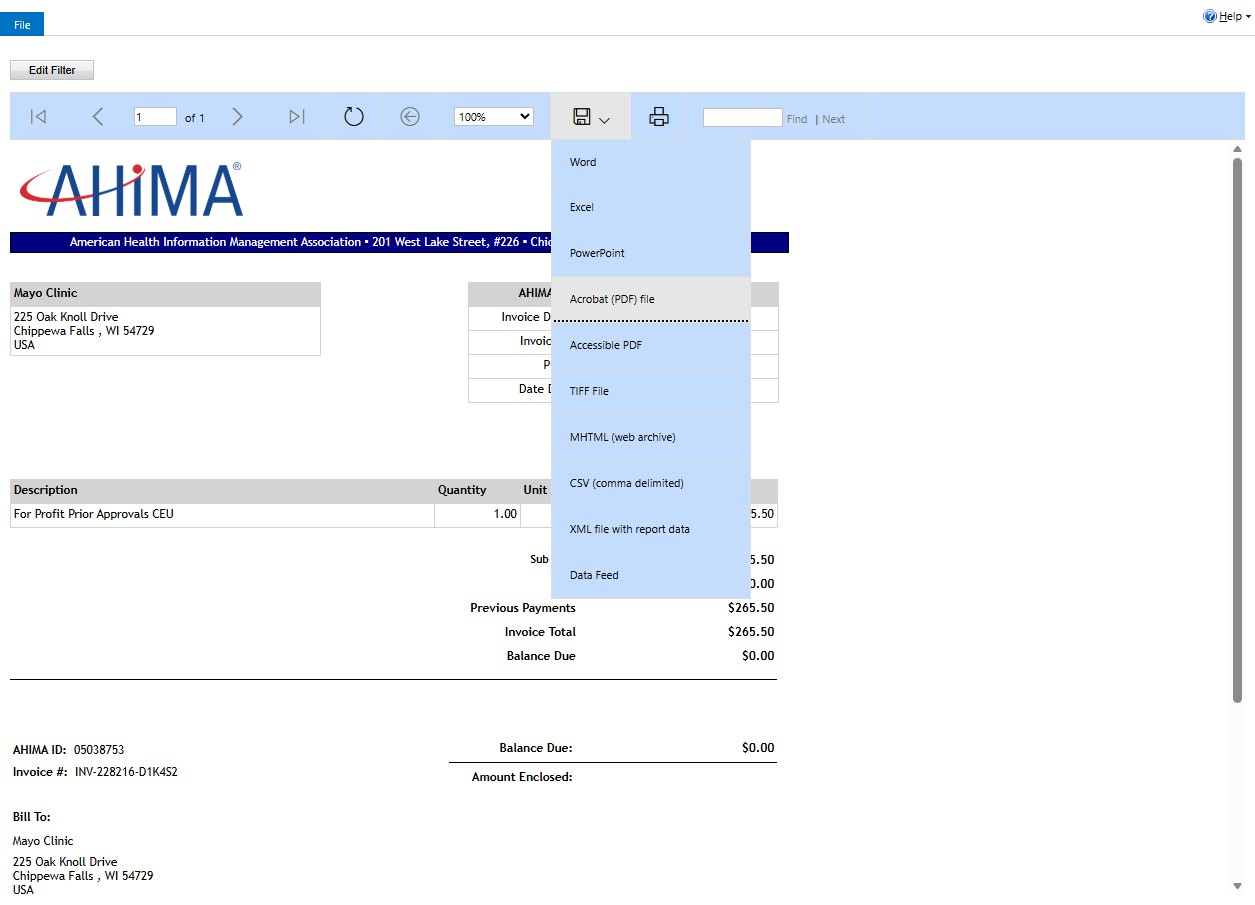
Invoice receipt PDF will download directly to your machine.
To locate the file, go to your downloads file.
Download the Adobe Acrobat desktop app for quicker access to downloaded PDF files.
Was this article helpful?
That’s Great!
Thank you for your feedback
Sorry! We couldn't be helpful
Thank you for your feedback
Feedback sent
We appreciate your effort and will try to fix the article