Go to Dynamics: ahima.crm.dynamics.com and log in to Dynamics using your AHIMA credentials. Select one of the dashboards accordingly (e.g. AHIMA-Sales, AHIMA-AMS).
The top search bar pulls data system-wide whereas the search box (e.g. search for leads, opportunities. accounts, contacts - including companies).
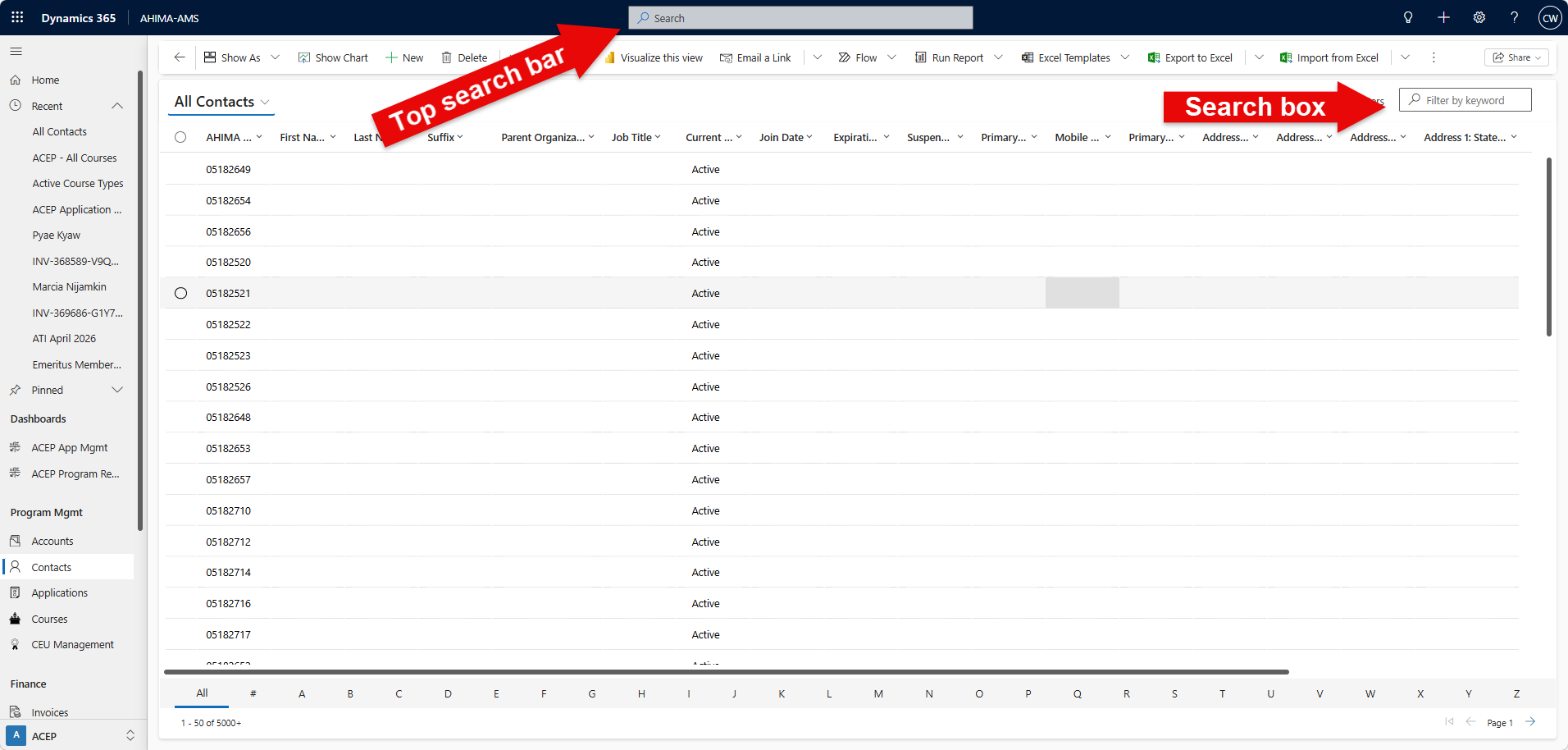
Use the right-hand search box to look up a specific string of data within the current view you selected
Tip: Be mindful of where the data you are looking for lives within the system. This views search function is dependent on your base view, you can search for leads, opportunities. accounts, contacts - including companies.
Example: search for "Jane Does" within all accounts.
Tip: When using the search functionality, use an asterisk ( * ) as your wild card especially when you cannot recall a complete account or contact (e.g. " john* ", " AGS* ").
Was this article helpful?
That’s Great!
Thank you for your feedback
Sorry! We couldn't be helpful
Thank you for your feedback
Feedback sent
We appreciate your effort and will try to fix the article