Most views in Dynamics give you the option to switch to focused view.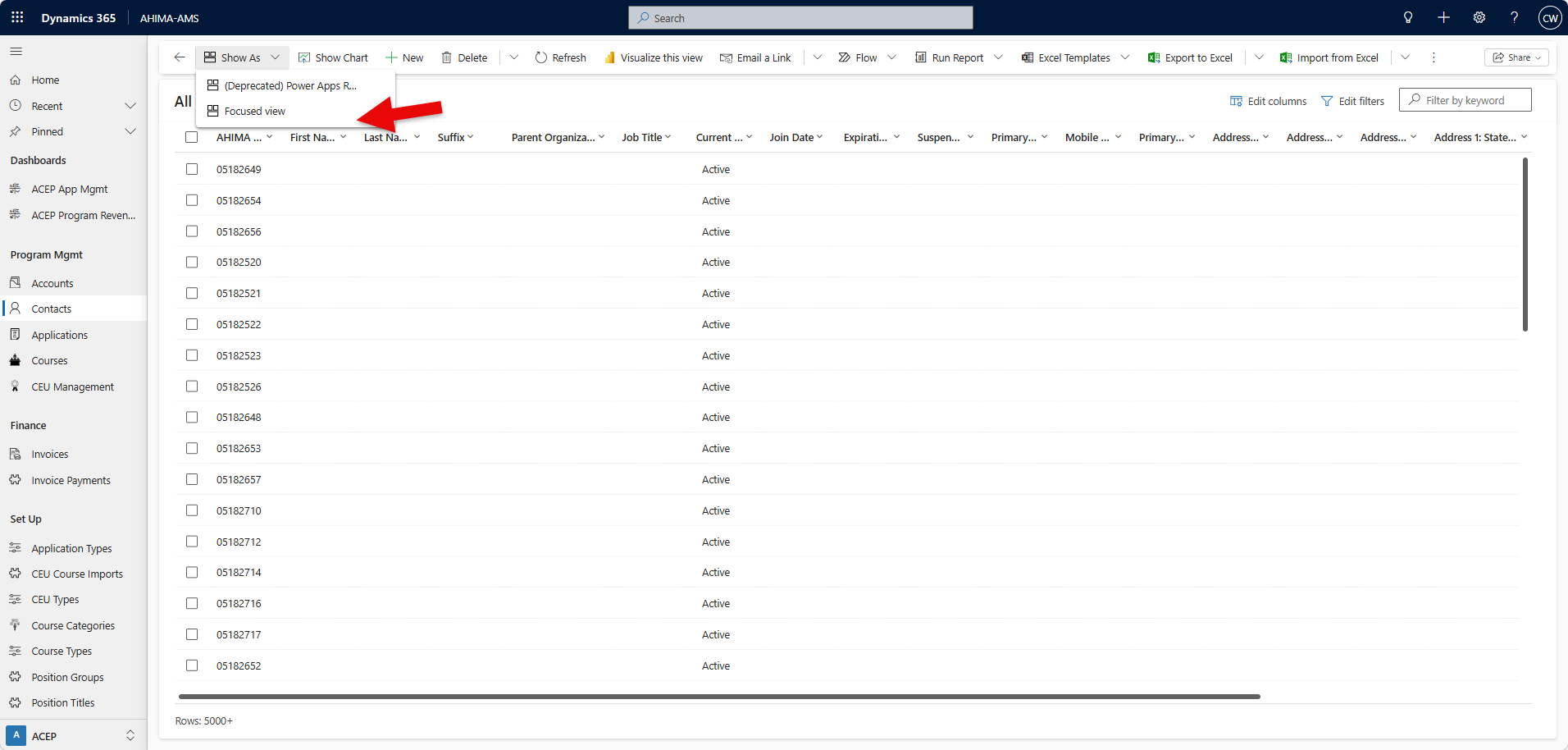
This allows you to see the list of data side-by-side with the individual forms. Click on any record in the list on the left to see it's form on the right.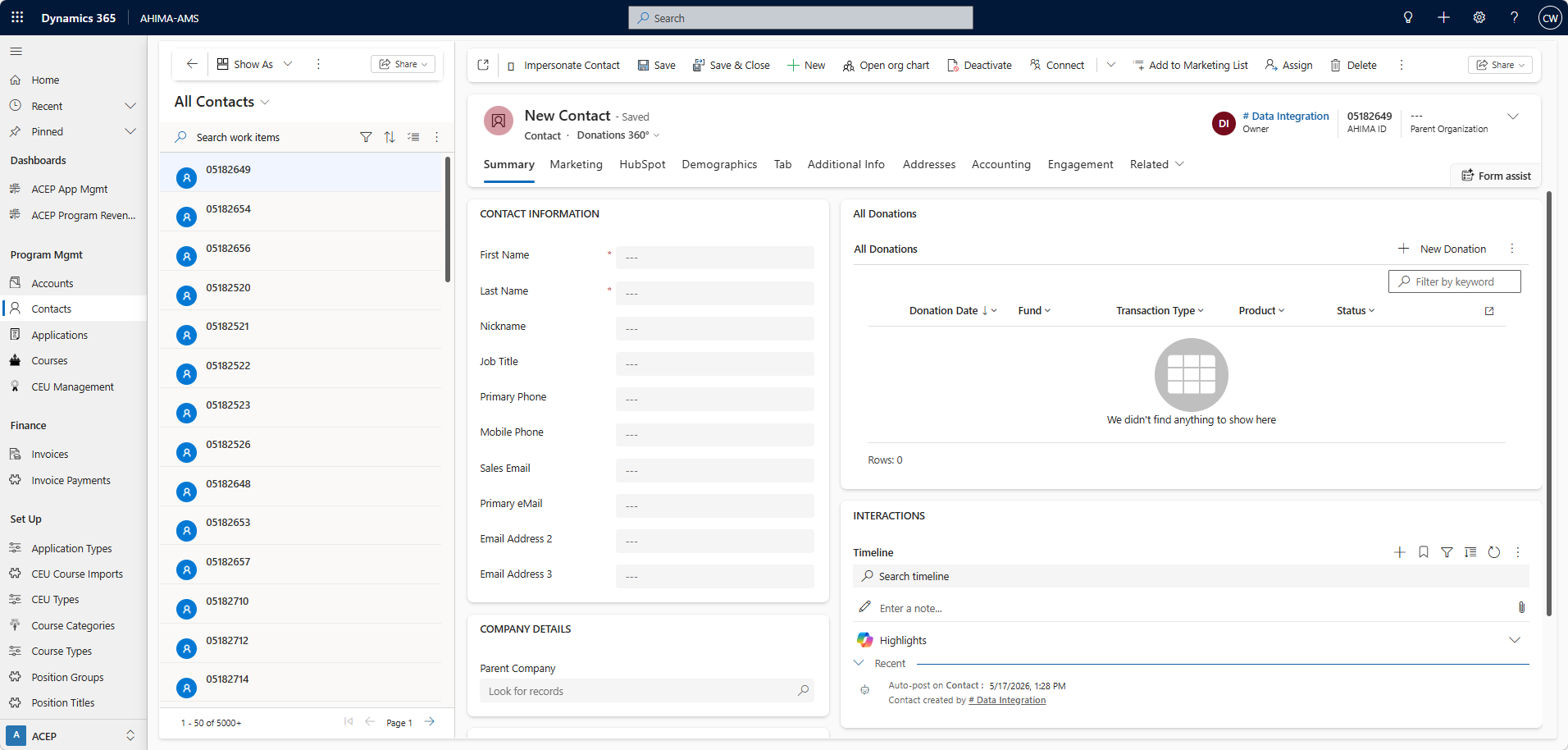
You can switch back to list view by selecting the back arrow or the Show As drop down.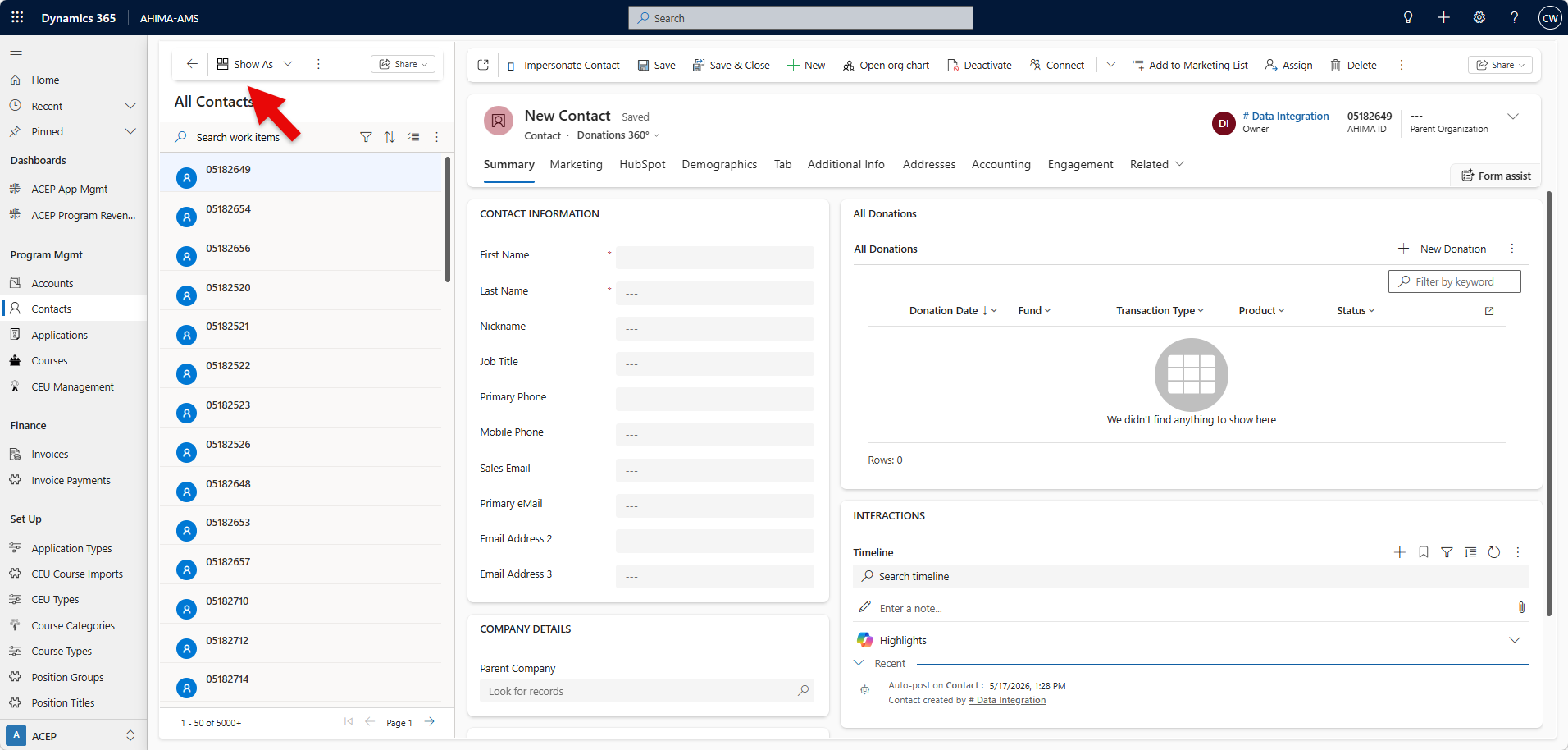
You can filter the data using this icon.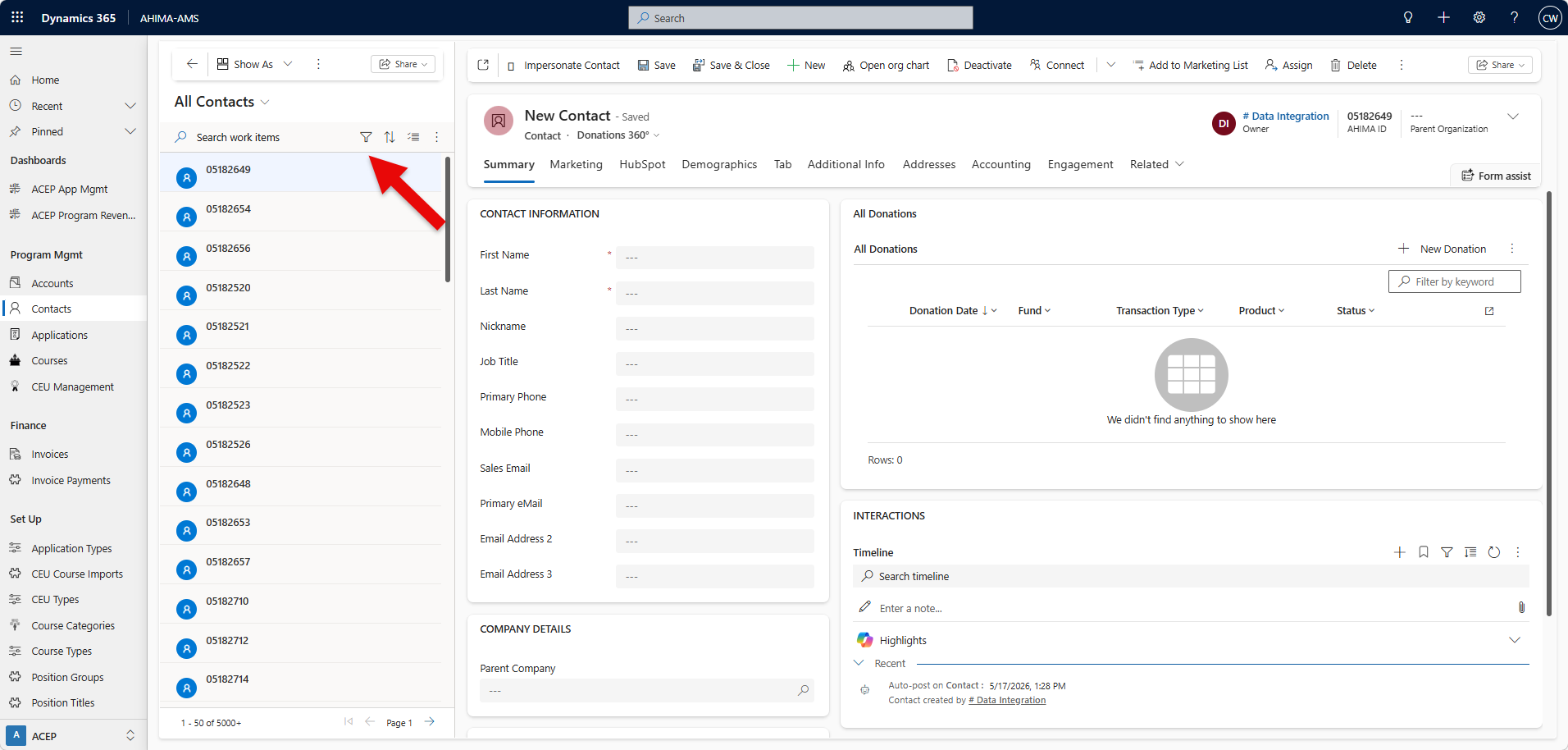
Once you choose your filter(s), click anywhere within the filters drop down to apply.
You will see your selected filter(s) at the top of the dropdown. Click apply to apply filter(s).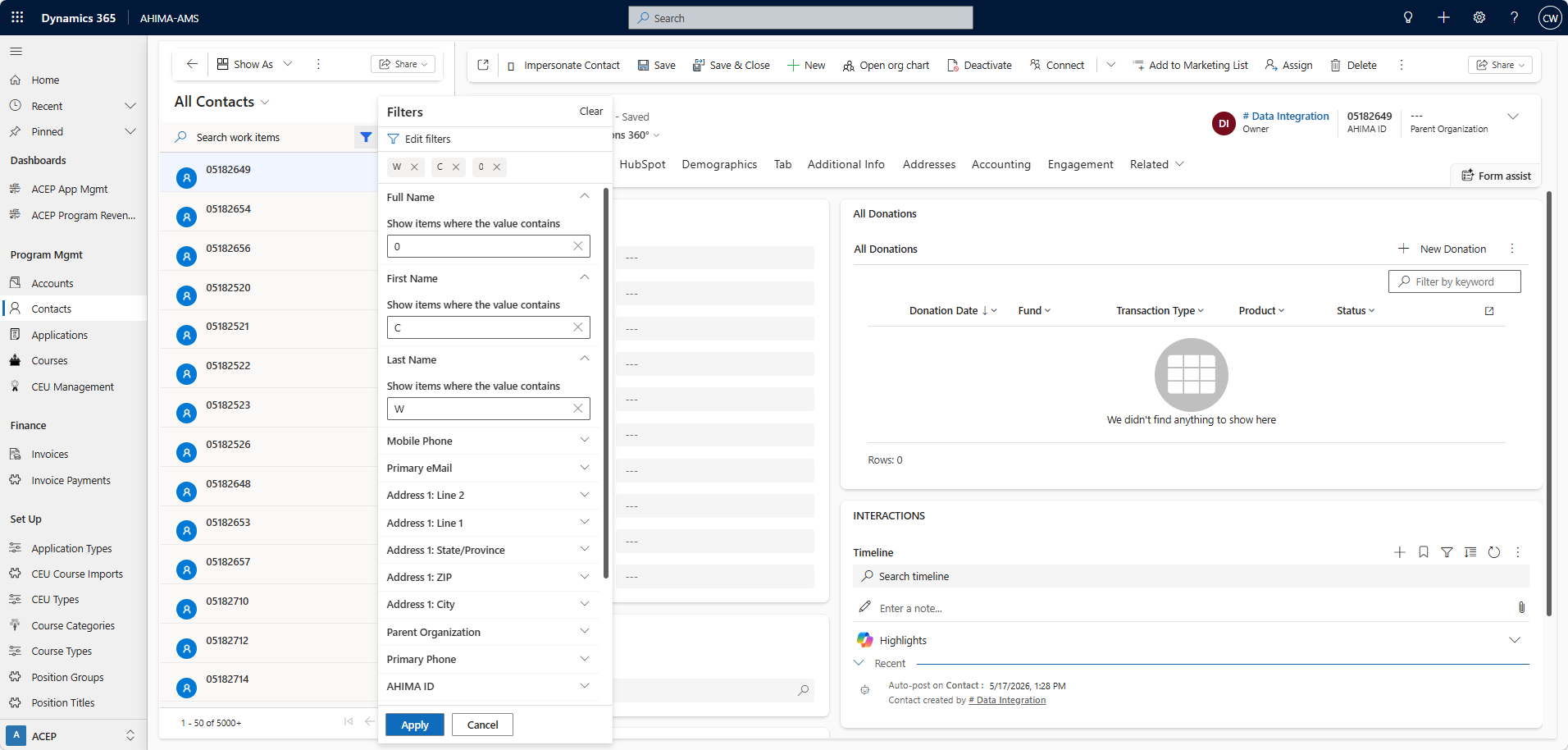
You can sort the data using this icon.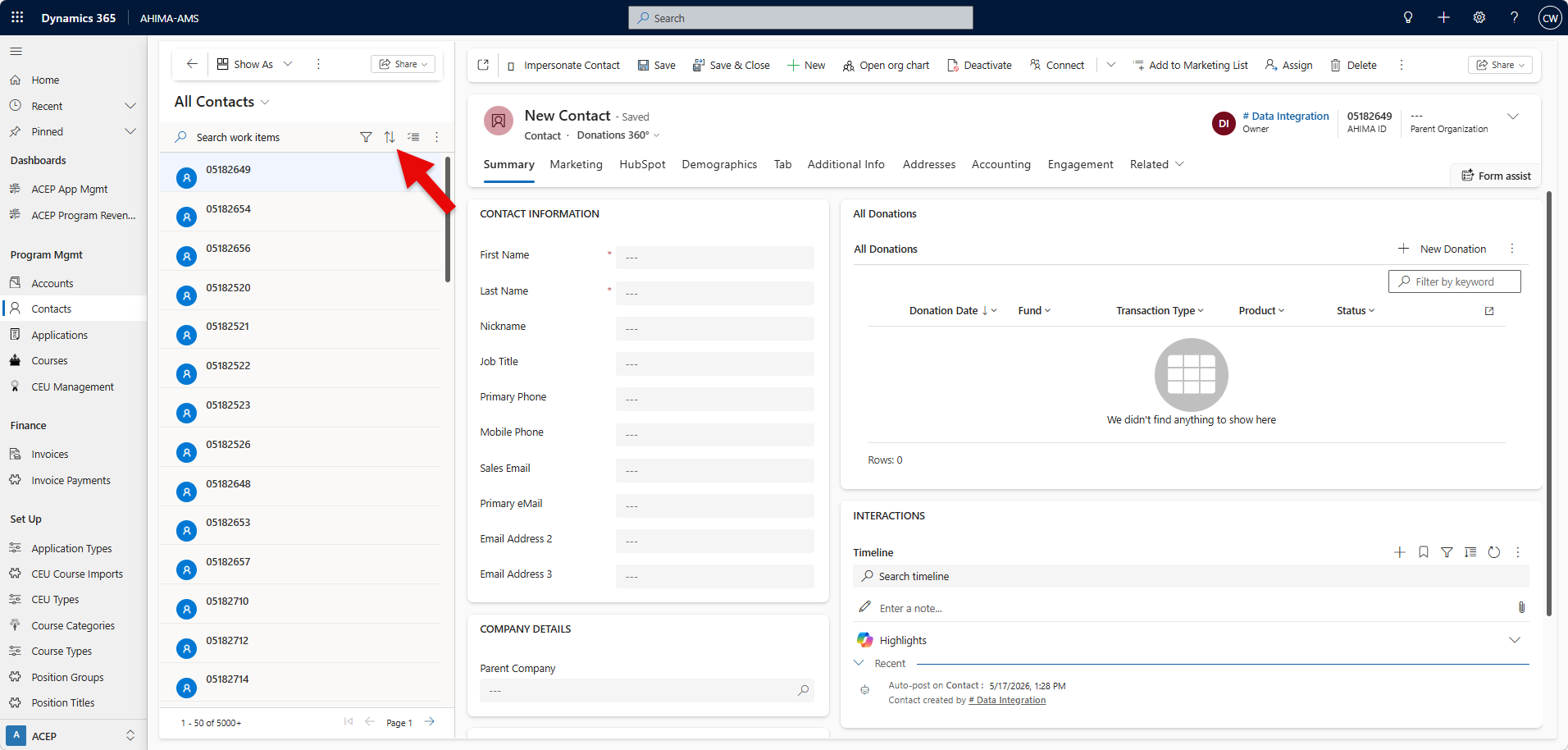
Was this article helpful?
That’s Great!
Thank you for your feedback
Sorry! We couldn't be helpful
Thank you for your feedback
Feedback sent
We appreciate your effort and will try to fix the article