Go to Dynamics: ahima.crm.dynamics.com and log in to Dynamics using your AHIMA credentials. Select one of the dashboards accordingly (e.g. AHIMA-Sales, AHIMA-AMS).
This article is a step-by-step on sending emails from Accounts or Contacts in Dynamics.
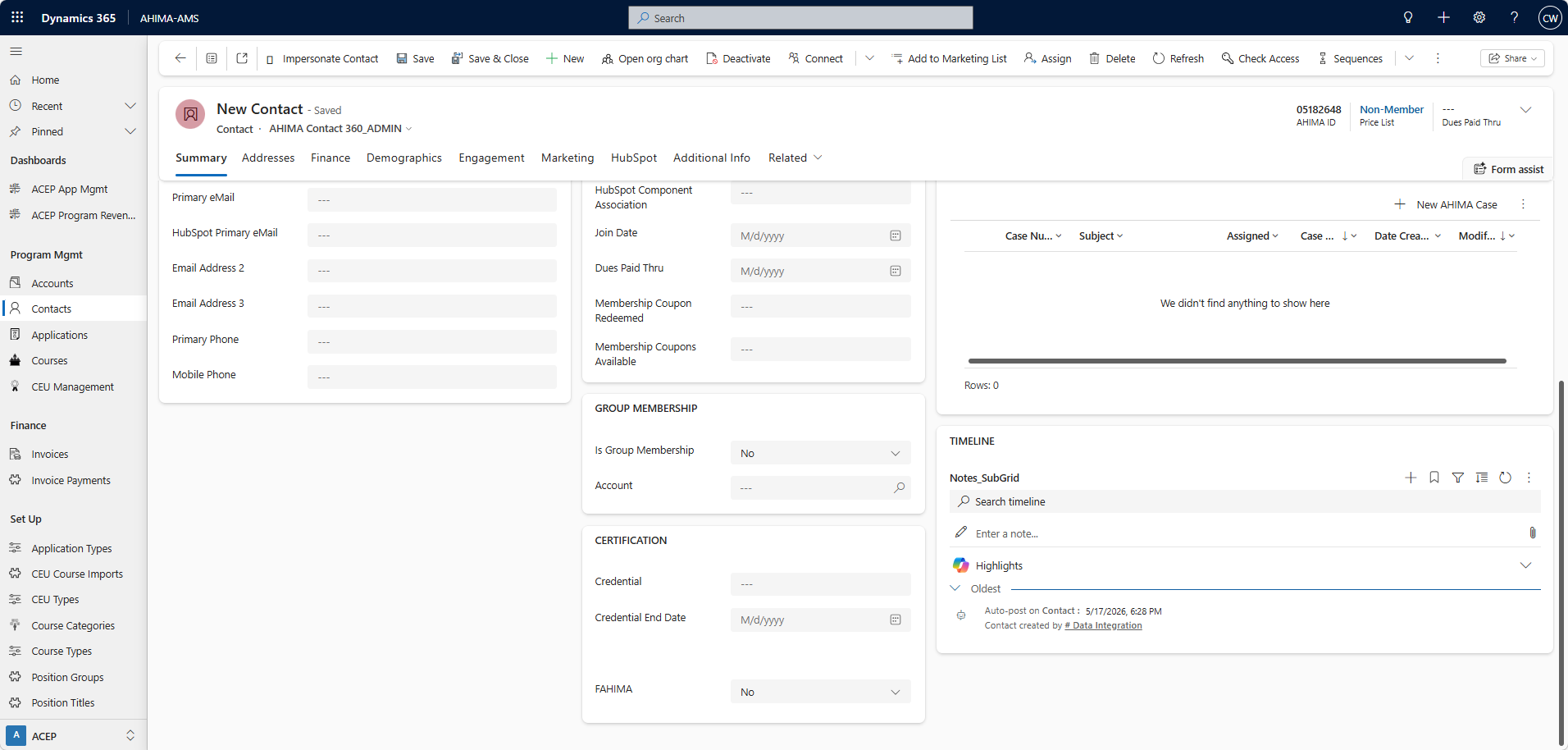
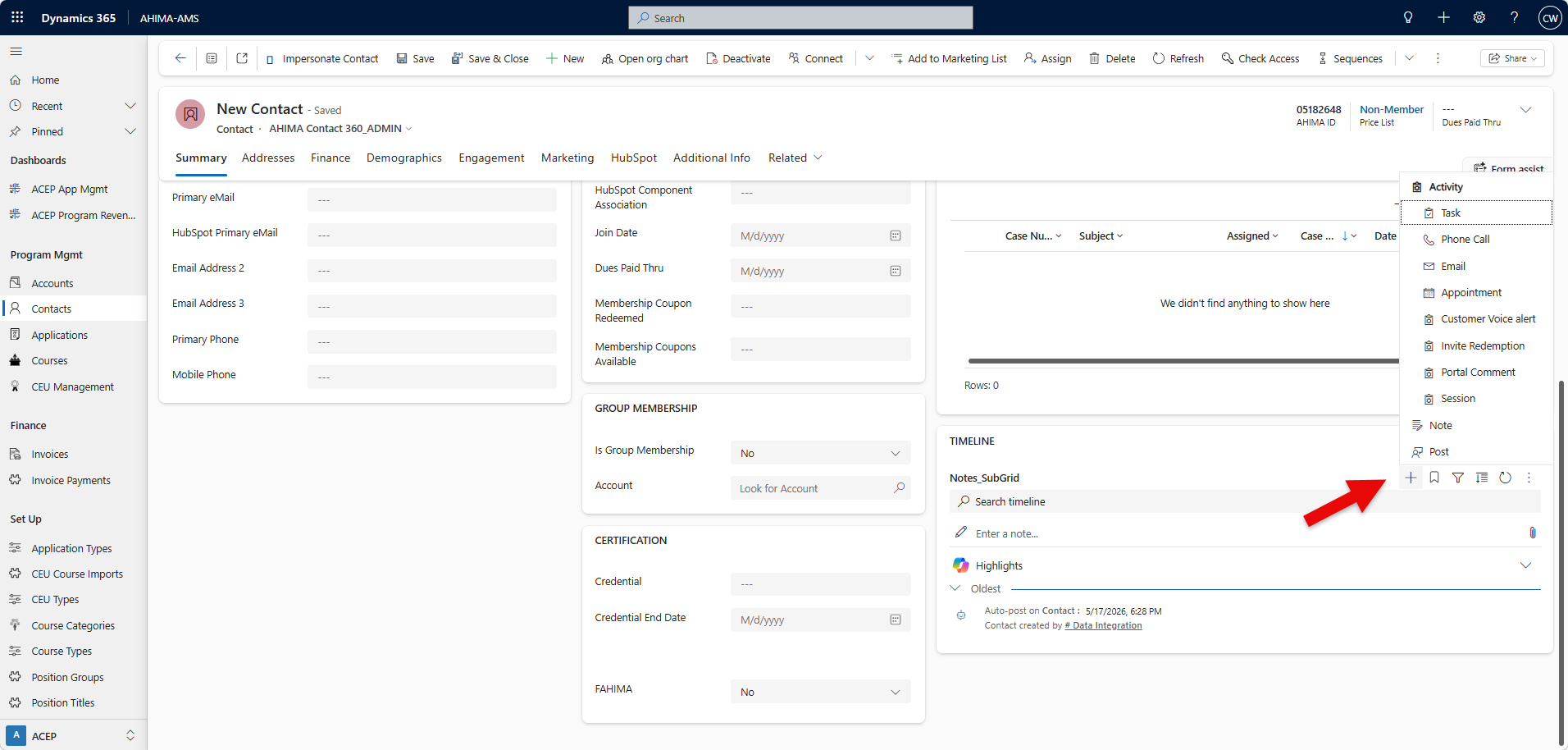
1. In the Timeline section of the account, contact, lead, or opportunity records, select + and then under Activities, select Email. (Scroll to bottom of summary screen to see Timeline section)
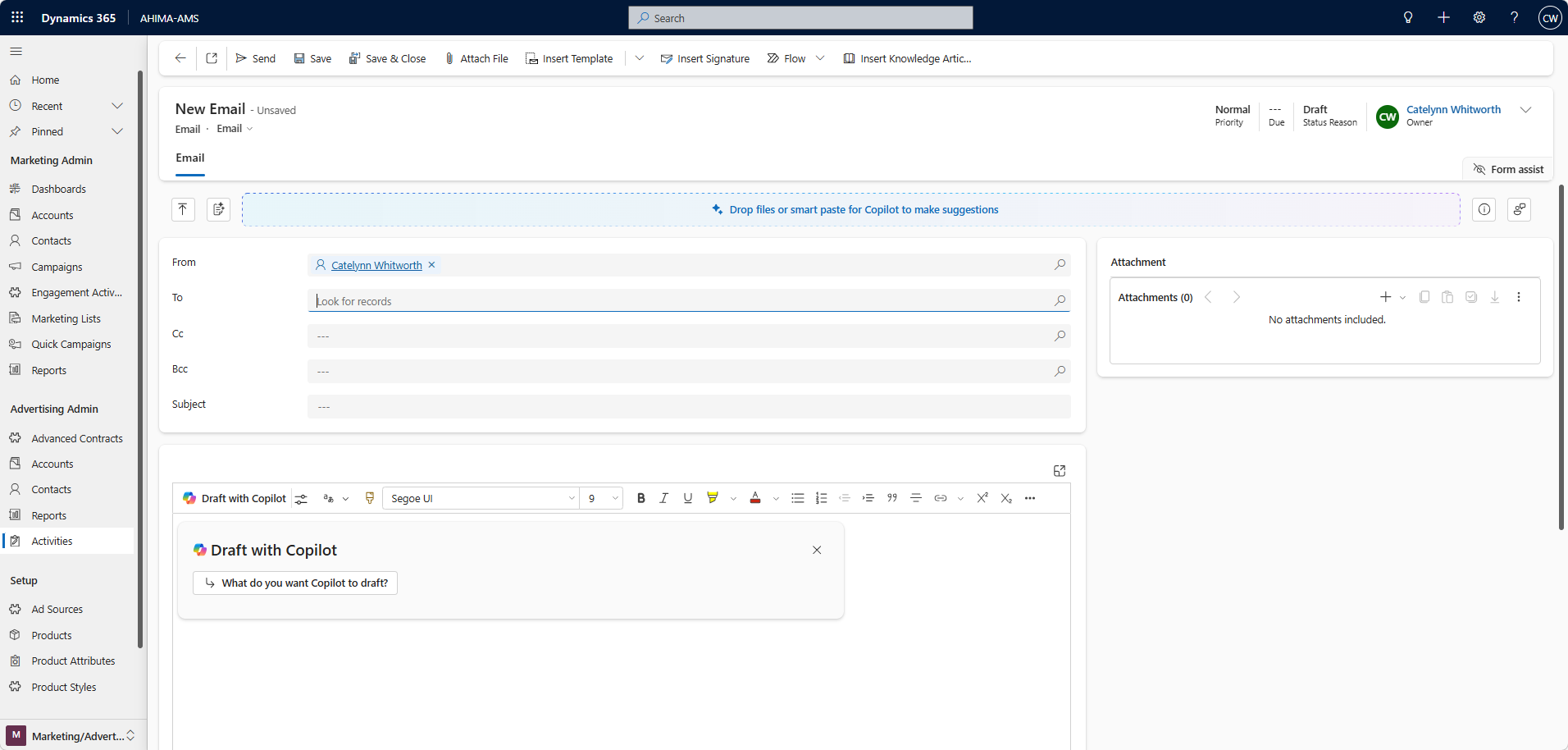
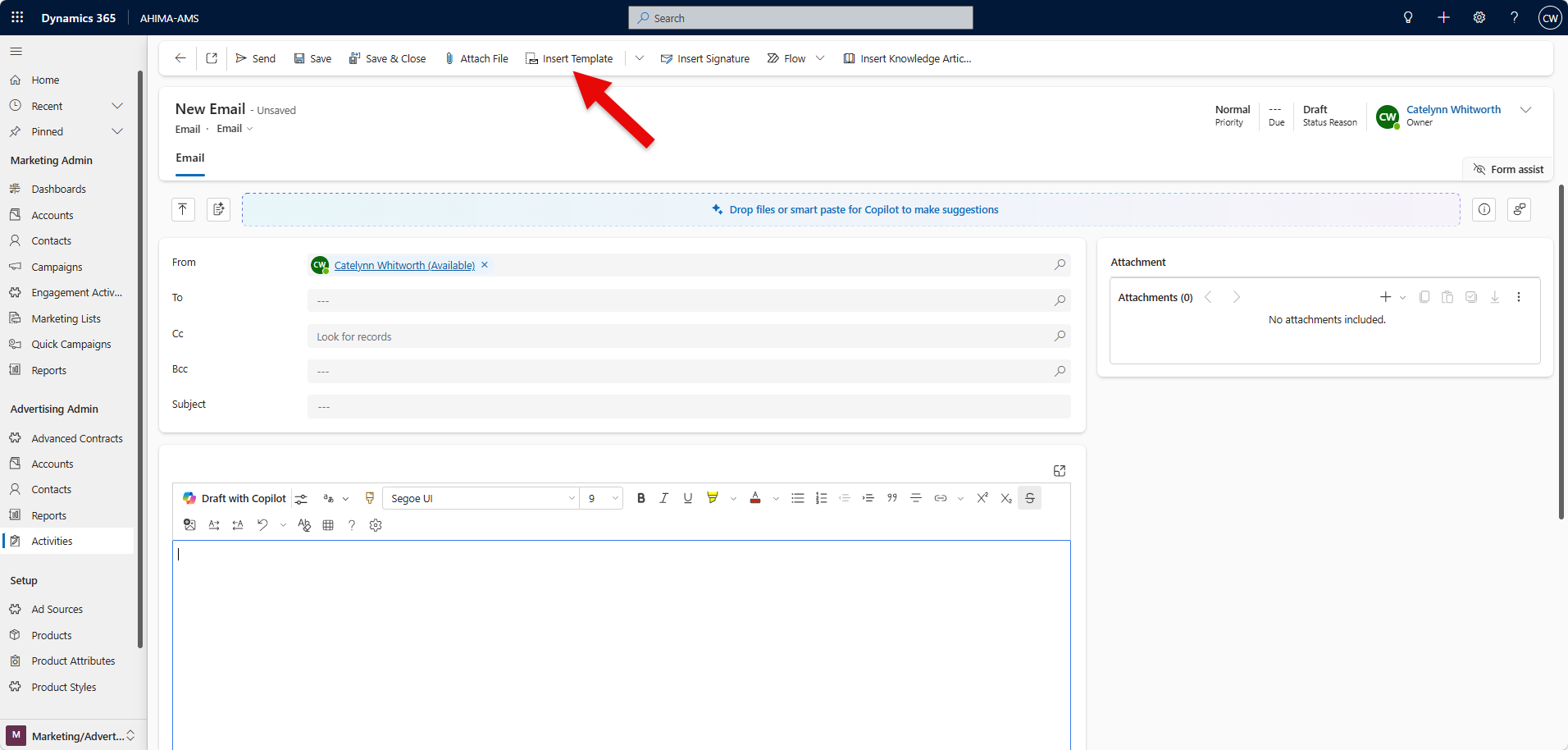
2. Write your email from scratch or select Insert Template to search for and apply a template.
3. Select Attach file if you want to add attachments.
4. Select Insert signature to search for and add your signature.
5. Click Send.
Was this article helpful?
That’s Great!
Thank you for your feedback
Sorry! We couldn't be helpful
Thank you for your feedback
Feedback sent
We appreciate your effort and will try to fix the article