Go to Dynamics: ahima.crm.dynamics.com and log in to Dynamics using your AHIMA credentials. Select one of the apps accordingly (e.g. AHIMA-Sales, AHIMA-AMS).
Related:
Dynamics General: Settings and Basic Navigation
Dynamics General: Add Filters and Columns to Existing Views
Dynamics General: Create New View
In Dynamics, select or customize the view you wish to export (e.g. a view in accounts or contacts)
Tip: Columns added to existing (pre-populated) system views will not generate in excel export list. You must create a new view with desired columns.
Select "Export to Excel" to initiate immediate download of the data to your computer.
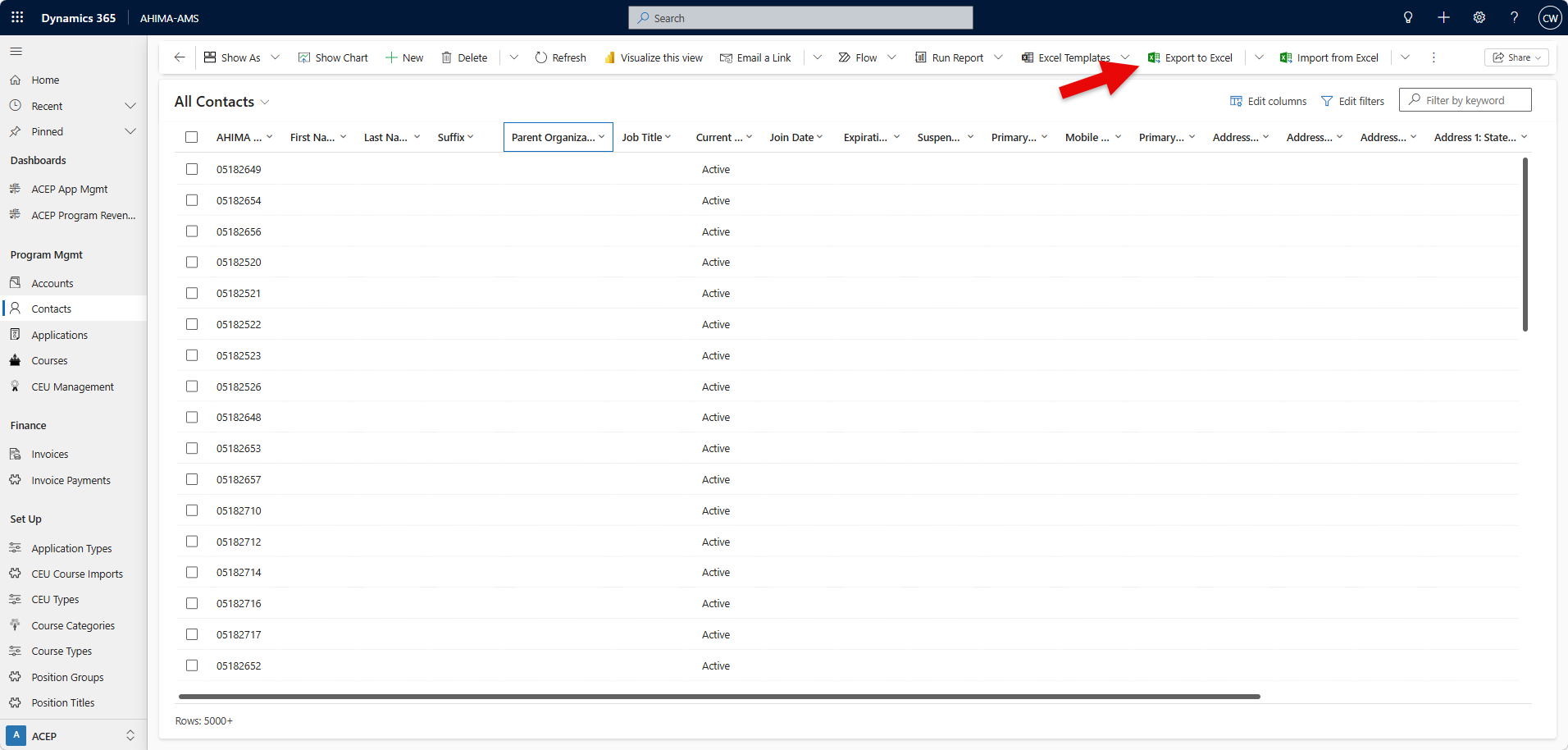
Load time should be relatively quick; dependent on complexity of data.
Was this article helpful?
That’s Great!
Thank you for your feedback
Sorry! We couldn't be helpful
Thank you for your feedback
Feedback sent
We appreciate your effort and will try to fix the article