Go to Dynamics: ahima.crm.dynamics.com and log in to Dynamics using your AHIMA credentials. Select one of the dashboards accordingly (e.g. AHIMA-Sales, AHIMA-AMS).
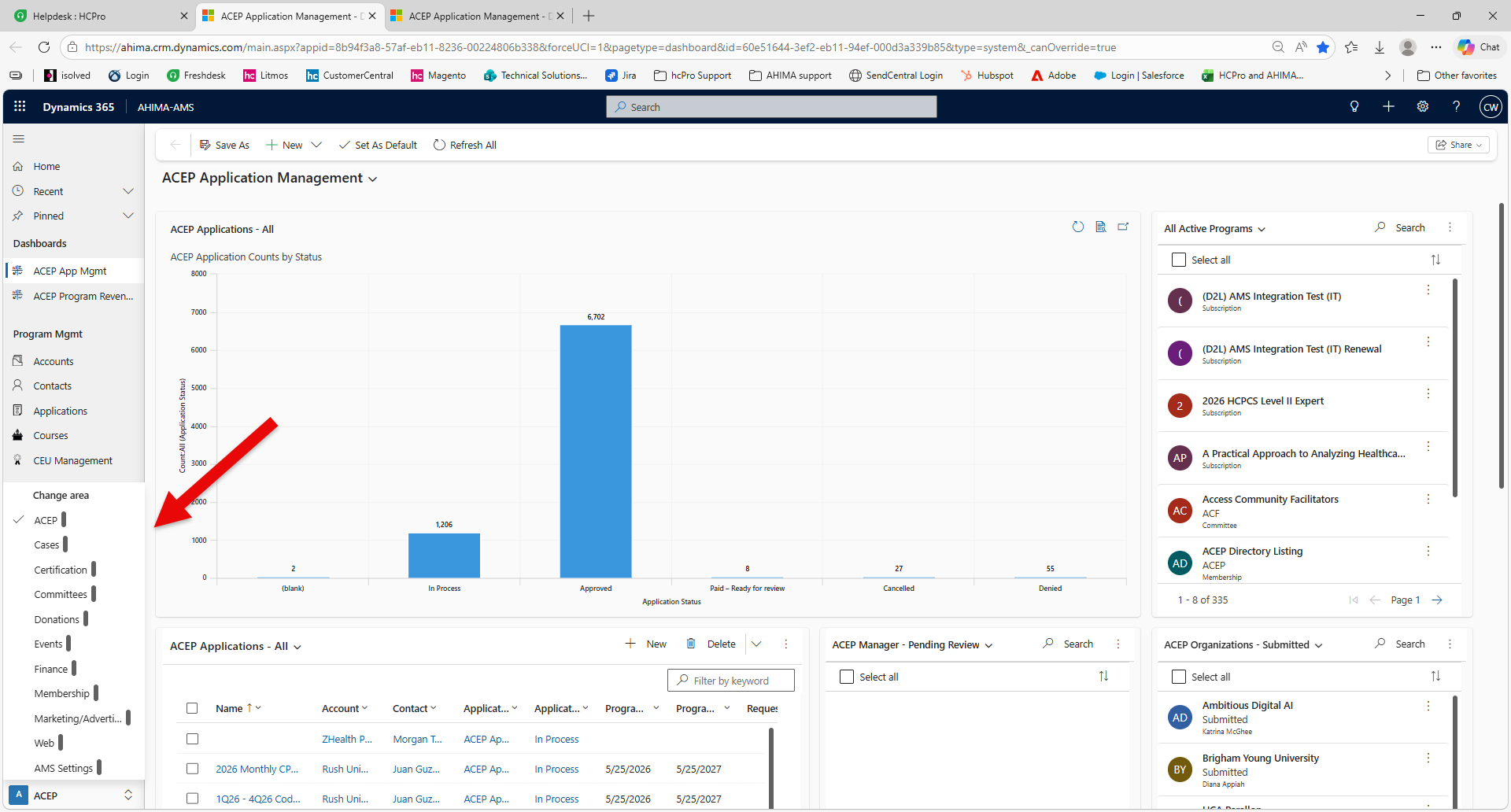
View Account or Contact Records
Navigate to the left-hand navigation panel → select "Accounts" or "Contacts" located below Program Mgmt
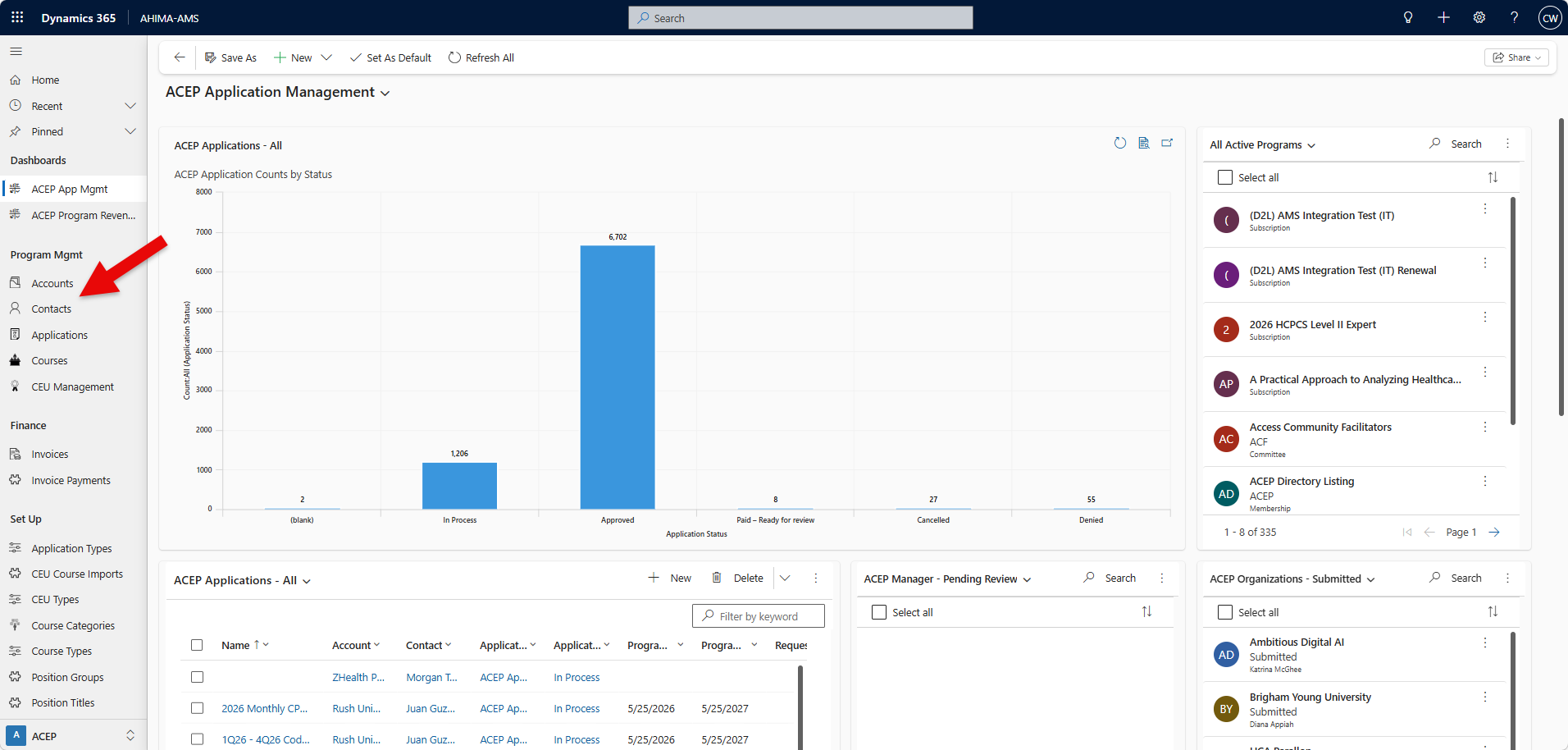
*Default view will list "All Accounts"
Tip: Click the drop-down carrot to select a different view.
Tip: An asterisk ( * ) next to the view title indicate there is presently an active filter in the view.
Create New Account or Contact Record
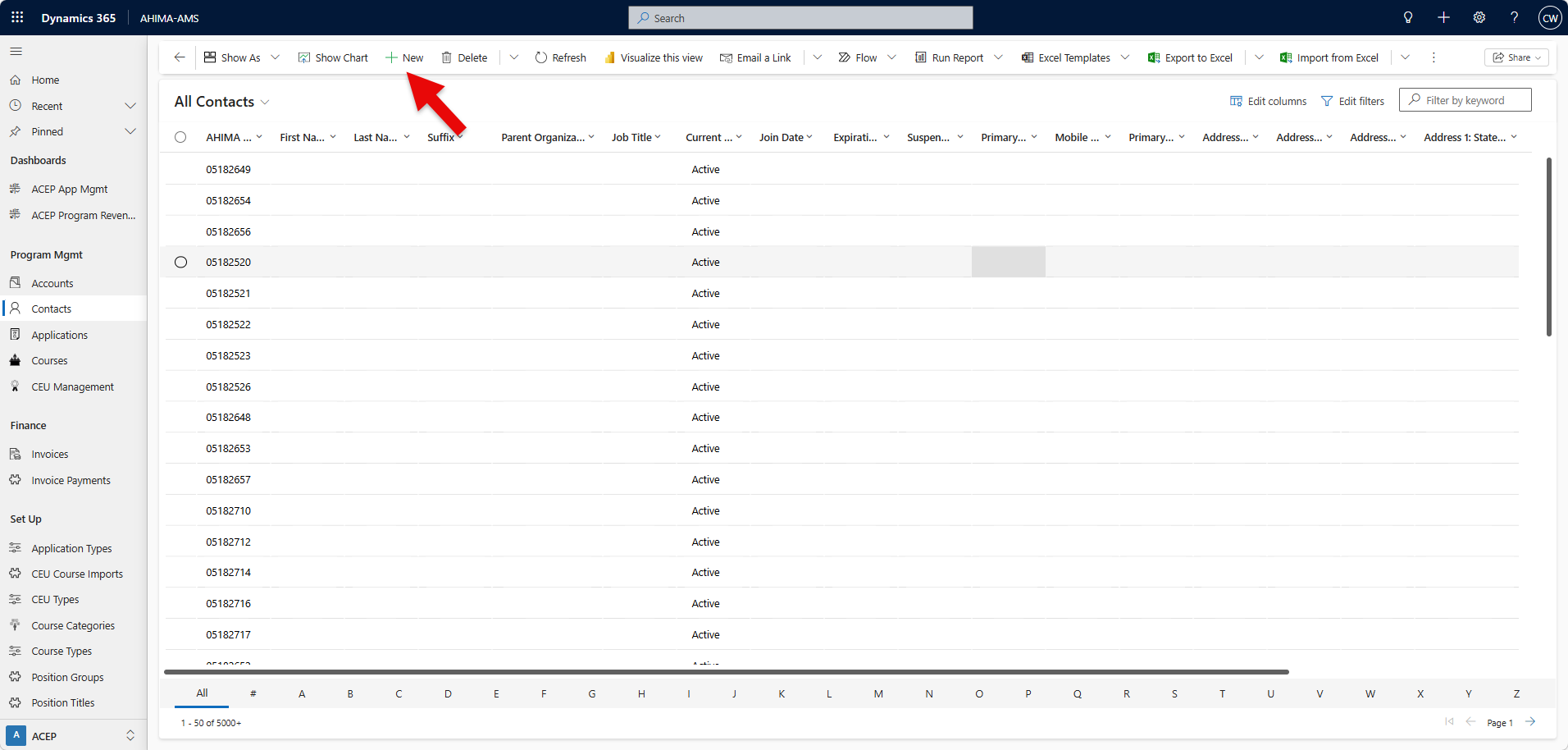
Navigate to the left-hand navigation panel → select "Accounts" or "Contacts" located below Programorgram Mgmt (or Customers in AHIMA - Sales app).
Select New
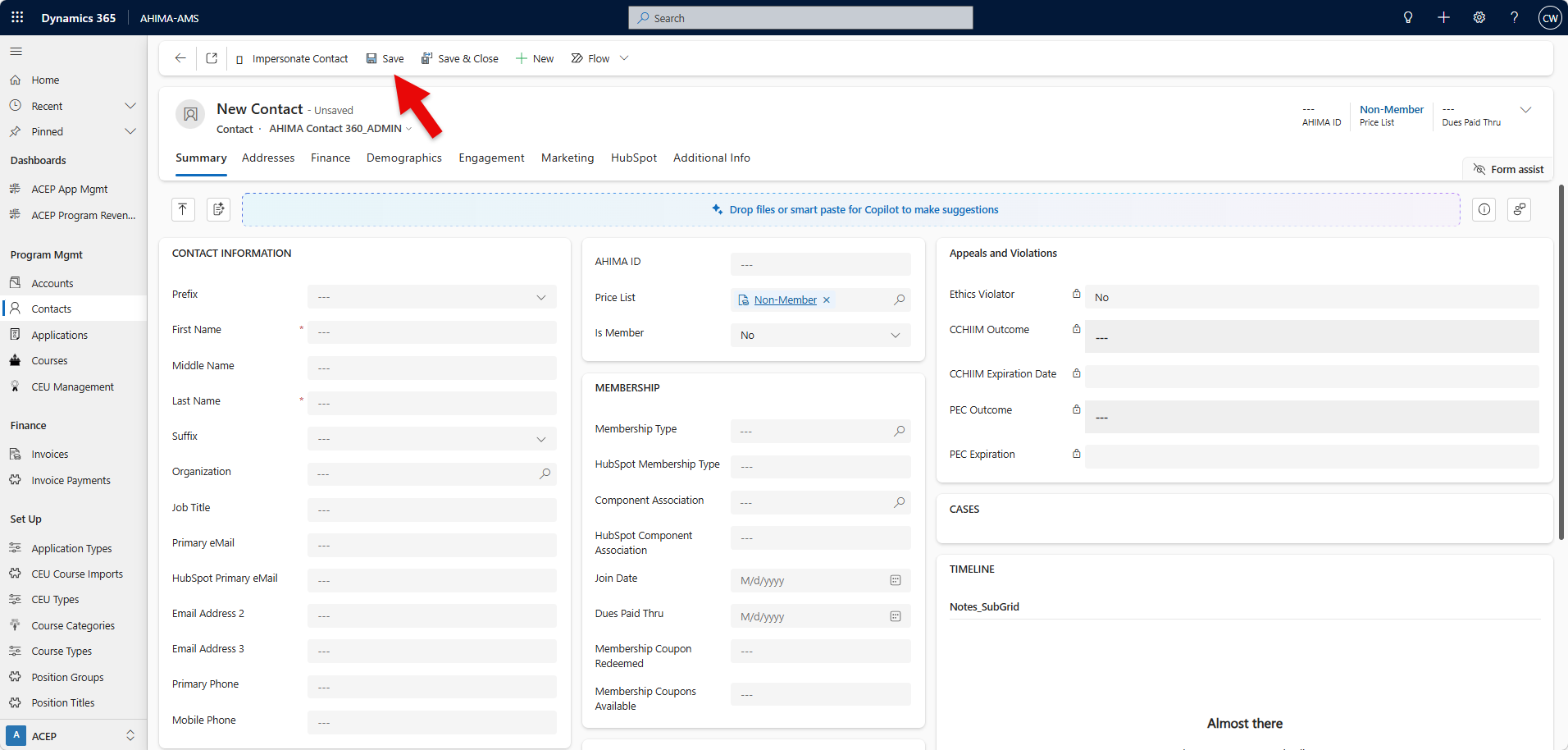
Fill in your information.
Click save.
Was this article helpful?
That’s Great!
Thank you for your feedback
Sorry! We couldn't be helpful
Thank you for your feedback
Feedback sent
We appreciate your effort and will try to fix the article